
PrankBox Launcher
Offline Glee GamesPersonalization
4.615.00 Reviews
- Version
- 0.1
- Installs
- 100.00K
- Age Rating
- Everyone 10+
Screenshots
Our Review of PrankBox Launcher
 Analysis by Appyee
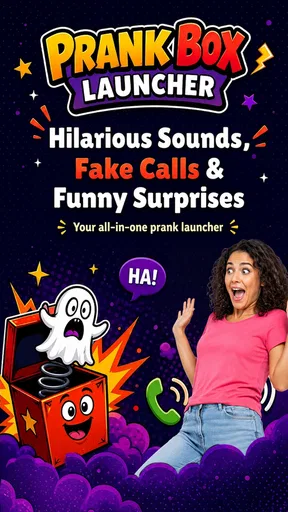
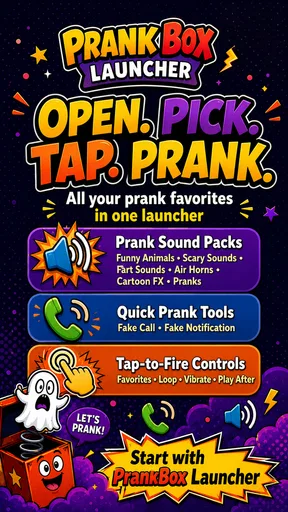
I approached PrankBox Launcher as a personalization app for people who want their phone to feel more playful without replacing every part of the device experience. Its focus is simple but unusual: combine prank sounds, fake calls, custom icons, and wallpapers in one place. After using it, I see the appeal immediately. It is less about serious customization and more about turning ordinary moments, such as handing a friend your phone or changing the look of a home screen, into a small joke.
The app comes from Offline Glee Games and is free to use. It belongs to the personalization category, although its personality is closer to a light prank toolkit than to a conventional wallpaper or icon utility. That difference matters. If you want a carefully organized design system for your phone, this may feel limited. If you want quick visual changes and playful sound-based ideas, its compact concept is much easier to understand.
How the launcher feels in everyday use
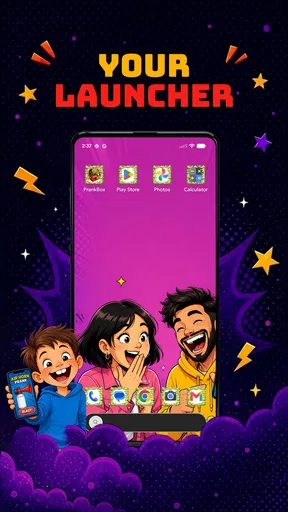
The first thing I noticed is that the app’s usefulness depends on how much you enjoy switching between practical customization and harmless mischief. Wallpapers and icons are familiar tools, while fake calls and prank sounds give the app its identity. I would not install it solely to replace a standard launcher, because its strongest reason to exist is the combination of these playful elements rather than deep control over every home-screen detail.
In a normal routine, I can imagine opening it before meeting friends, choosing a visual change for the day, and keeping a sound or fake-call idea ready for a suitable moment. That workflow feels more natural than treating the app as a permanent replacement for the phone’s built-in interface. It works best as a creative layer around the device, not necessarily as the only personalization tool you use.
The free price also lowers the barrier to trying it. You can explore the concept without making a purchase decision first, which is useful for an app that may appeal strongly to one person and barely interest another. The audience rating is Everyone 10+, so I would still use common sense when planning a prank, especially around younger users, strangers, work contacts, or situations where a fake call could cause confusion.
Speed expectations and the first few minutes
Because the current version is 0.1, I would approach it as an early-stage app rather than a mature customization suite. That does not automatically make it slow or unstable, but it does change my expectations. The most satisfying experience comes from keeping the task small: choose a wallpaper, try an icon style, or prepare a sound-based joke instead of attempting to redesign the entire phone in one sitting.
On a compatible device, the basic idea should feel approachable because the app is centered on a limited set of actions. I prefer that kind of focused layout to a crowded customization catalog where every choice is buried under menus. The trade-off is that a focused app may not offer the depth of a dedicated icon manager or a full launcher replacement. If you are looking for extensive grid controls, gesture systems, folders, widgets, and theme rules, this is not the category leader I would choose.
One practical tip is to decide whether you are using the app for appearance or for a prank before you begin. For appearance, I would preview the visual changes and think about how they fit the icons already on the phone. For a prank, I would prepare the scenario first and only then choose the sound or fake-call idea. Separating those goals avoids wasting time browsing visual options when what you really wanted was a quick joke.
What happens during heavier use
The app becomes more demanding from a user’s point of view when several kinds of customization overlap. Changing a wallpaper is a visual task. Playing with sounds is an audio task. Fake calls introduce a timing and social element. Icons affect the everyday home screen. These are not equally important, so I would not judge the app only by how quickly one option opens.
A realistic example is preparing a harmless joke before a friend borrows your phone. I would first check the chosen wallpaper and icons, then make sure the sound is appropriate for the setting, and finally decide whether a fake call would be funny or simply disruptive. The strongest part of this workflow is the app’s variety. The weakest part is that variety can encourage overcomplication. A prank that requires too much setup is usually less convincing and less enjoyable.
For repeated use, I would keep a small personal routine rather than constantly changing everything. One visual theme can stay in place while a sound or fake-call idea changes occasionally. This reduces friction and makes the app feel like a tool for occasional surprises instead of another source of notification and visual clutter. It also helps preserve the phone’s normal usability when you need it for calls, navigation, work, or family communication.
Users with older or modest devices should be especially practical. The minimum operating-system requirement is Android 8.0, so compatibility begins there, but compatibility alone does not describe the overall experience on every phone. Screen size, available storage, system customization, and the phone’s own launcher can all affect how comfortable personalization feels. I would test one small change first rather than immediately applying every available option.
Reliability, mistakes, and recovery
For an app like this, reliability is not only about whether it opens. It is also about whether I can return to a normal phone setup after experimenting. That recovery path matters because icons and wallpapers are part of the daily interface, while prank sounds and fake calls can affect other people if used carelessly.
My advice is to change one visual element at a time and remember what the previous arrangement looked like. If a new wallpaper makes icons difficult to read, the problem is easy to identify when only the wallpaper changed. If several elements are altered together, it becomes harder to know which choice created the friction. This is a small habit, but it makes experimentation much less stressful.
I would also treat fake calls as situational tools rather than automatic entertainment. A convincing interruption can be amusing among friends who understand the joke, but it can create real anxiety in a public place, during a meeting, or when someone is waiting for an important call. The app’s age rating does not remove the need for judgment. The best use is brief, consensual, and easy to stop.
The same caution applies to prank sounds. I would test volume and surroundings before playing anything. A sound that seems funny through a quiet phone speaker may be embarrassing in a classroom, office, or public transport. Preparing the idea privately first is better than discovering its volume or tone in front of everyone.
For recovery, I would keep the phone’s ordinary settings in mind and avoid making the app responsible for anything essential. If the device behaves differently after a visual change, the safest approach is to undo the latest adjustment and return to the previous arrangement before trying something else. That conservative workflow is more appropriate for an early version than treating every experiment as permanent.
Where it fits among personalization alternatives
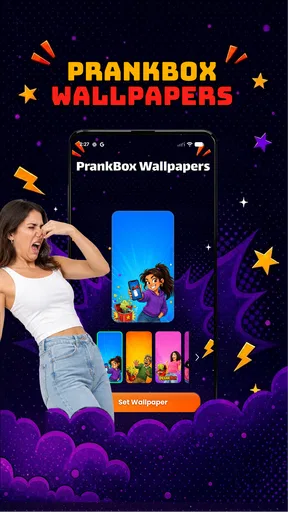
Compared with a standard wallpaper app, this offers a broader mood. A wallpaper app is usually better when your only goal is finding a background quickly and leaving the rest of the phone untouched. PrankBox Launcher is more interesting when you want the background to be part of a playful setup that may also involve icons, sounds, or a fake-call scenario.
Compared with a full replacement launcher, it appears more approachable and less intimidating, but also less suited to people who want fine control over the entire home screen. Dedicated launchers generally appeal to users who care about layout precision, gestures, app drawers, folders, and long-term organization. I would choose one of those alternatives for productivity or a carefully engineered interface. I would choose this app when personality and quick experimentation matter more than a complete redesign.
It also differs from using separate prank-sound and fake-call apps. Combining those ideas with visual personalization can make the experience feel more coherent. Instead of searching through unrelated tools, I can think about one scenario and build its mood around it. The downside is specialization: a separate app may offer deeper controls for one particular function. This is a convenience-focused choice, not necessarily the most powerful choice in every individual area.
Another important trade-off is permanence. A dedicated launcher often becomes part of how you use the phone every day. This app makes more sense as an occasional companion unless its particular style matches your daily habits. People who dislike novelty on their home screen may enjoy the prank functions but prefer to keep their regular launcher unchanged.
Device constraints and practical expectations
The Android requirement of 8.0 makes the app available to a broad range of supported phones, but I would not confuse an operating-system threshold with a promise of identical behavior everywhere. Devices differ in screen proportions, manufacturer interfaces, memory management, and how they handle changes to the home screen. A visual arrangement that looks balanced on one phone may feel crowded on another.
That is why I recommend checking readability before committing to a wallpaper or icon change. Look at the most-used apps, not just an attractive preview. If the background competes with text or makes familiar icons harder to spot, the design has failed its practical test. Personalization should make the phone more enjoyable without slowing down simple actions such as opening messages or finding the camera.
Resource demands are also best considered in terms of behavior rather than assumptions. I would avoid leaving unnecessary prank activity running when I am finished, and I would be careful about using sound-based ideas in situations where the phone needs to remain quiet. The app’s concept encourages active choices, so the user’s habits have a large effect on the experience.
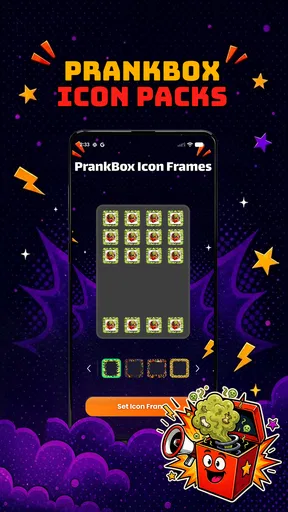
Storage and attention are another hidden cost. Even a free app can make a phone feel busier if you collect too many visual options or keep changing themes without a plan. I get more value by selecting a few designs that suit different moods and then removing what I no longer use. That keeps the phone easier to navigate and makes each change feel intentional.
Users who need maximum accessibility should judge every visual option by contrast and legibility before using it. A playful wallpaper is not automatically a good background for daily reading. Likewise, anyone who relies on predictable sound behavior should treat prank audio as an occasional feature, not as a replacement for carefully managed notification settings.
Who will enjoy it most
I think the best audience is someone who enjoys harmless jokes, likes changing the look of a phone, and wants those activities in one lightweight concept. It can also suit families or friend groups who already understand each other’s boundaries. The app gives a creative starting point for a themed phone makeover, a playful handoff, or a short social gag.
It is less suitable for someone searching for a serious productivity launcher, a highly configurable home-screen system, or a polished professional theme. I would also skip it if you dislike fake-call humor, do not want sound-based surprises, or prefer never to alter your icons and wallpaper. The free price makes trying it easy, but free does not mean every user will find a reason to keep it installed.
The developer’s choice to combine visual personalization with prank tools is the app’s clearest strength. It gives the experience a recognizable purpose instead of becoming another generic wallpaper catalog. At the same time, that narrow identity is its main limitation. If the playful angle does not appeal to you, the remaining customization features may not be enough to justify replacing tools that already do those jobs well.
My performance and stability verdict
With an average rating of 4.6 from around 965 ratings and more than 100K installs, the app has attracted meaningful interest for a young project. I read that as a sign that the central idea connects with people, not as proof that it will be the perfect fit for every phone. The early version number still makes me favor simple workflows, gradual changes, and sensible recovery habits.
My overall impression is that PrankBox Launcher is most convincing when used in short, deliberate sessions. Choose a visual change, prepare a suitable sound, or arrange a fake-call joke, then return to normal phone use. That approach keeps the experience responsive in spirit, reduces social risk, and avoids turning a playful tool into an unwanted source of clutter.
For Android users on version 8.0 or newer who want a free personalization app with a mischievous side, I think it is worth trying. I would recommend it to a friend who enjoys customizing a phone for fun, with one condition: use the prank features thoughtfully and keep the everyday interface readable. If your priority is deep launcher control, predictable professional design, or specialized audio and call simulation, a dedicated alternative will serve you better.
My final recommendation is cautious but positive: this is a focused, playful app rather than a complete launcher replacement. Its value comes from the combination of icons, wallpapers, sounds, and fake calls, and that combination makes it more memorable than a routine personalization utility. Used occasionally and with a clear plan, it can add a fun surprise to an ordinary phone without requiring a major commitment.
Verdict
Strengths of PrankBox Launcher
- Playful prank concepts can make home-screen interactions more entertaining.
- Launcher-style customization gives the app a distinct look and feel.
- Quick access to prank features keeps setup relatively straightforward.
- Useful for harmless jokes among friends who understand the premise.
- A novelty option for users bored with conventional launcher layouts.
Limitations of PrankBox Launcher
- Pranks may confuse users who expect a standard Android home screen.
- Some features could become repetitive after the initial novelty wears off.
- Accidental activation may disrupt normal navigation or app launching.
- The experience may not suit children or users sensitive to visual tricks.
- Launcher permissions can raise privacy concerns for cautious users.
Other Releases by Offline Glee Games
View All
DramaStream Launcher
Personalization4.7
Similar Picks in This Category
View All
Microsoft SwiftKey AI Keyboard
SwiftKey4.3

Wallpapers
Google LLC4.1

Zedge™ Wallpapers & Ringtones
Zedge4.7

Yandex Browser with Alice AI
Direct Cursus Computer Systems Trading LLC4.3

Ringtone Maker:create ringtone
Big Bang Inc.4.7

Fonts Keyboard
Fonts Keyboard3.9
Frequently Asked Questions
What is PrankBox Launcher and how does it work?
PrankBox Launcher is an Android customization app designed to make your device look and behave differently for entertainment purposes. After installation, it can apply prank-style visual effects, playful themes, altered icons, or simulated system interactions, depending on the available features. Before using it, review the app’s instructions carefully so you understand which changes are temporary and which launcher settings may need to be restored manually.
Is PrankBox Launcher safe to install and use?
Safety depends largely on where you download PrankBox Launcher and which permissions it requests. Use the official Google Play listing or another reputable source, check the developer information, and read recent user reviews before installing. A launcher may request access related to displaying the home screen or managing shortcuts, but unexpected permissions should be treated cautiously. Avoid granting access that is unrelated to the app’s stated purpose.
Will PrankBox Launcher permanently change my phone or delete my data?
PrankBox Launcher is generally intended for temporary customization and prank effects rather than permanent system modification. However, changing the default launcher can alter your home-screen layout, widgets, icons, and shortcuts. Your personal files should not be deleted simply by installing the app, but it is still wise to back up important data and note your original launcher settings. Uninstalling the app or selecting another default launcher should normally restore regular use.
Does PrankBox Launcher work on every Android device?
Compatibility can vary depending on your Android version, phone manufacturer, screen resolution, and current launcher settings. Basic launcher functions may work on many devices, while certain prank animations, overlays, widgets, or simulated effects may not appear correctly everywhere. Older phones can also experience slower performance or occasional crashes. Check the app’s compatibility information and user feedback for your specific device before relying on every advertised feature.
Can I remove PrankBox Launcher and return to my normal home screen?
Yes, you can usually stop using PrankBox Launcher by selecting your previous launcher in Android’s default-app settings or by uninstalling the application. If the app has changed icons, shortcuts, wallpapers, or widgets, some items may need to be restored manually. Open Settings, search for “Default apps” or “Home app,” choose your preferred launcher, and then remove PrankBox Launcher if you no longer want its prank effects.
